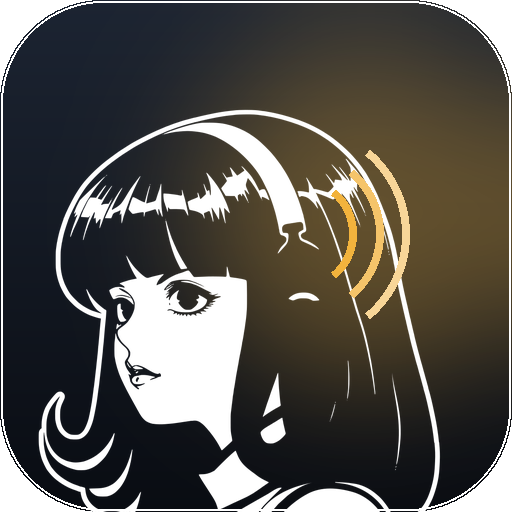
 Hermes Gadget
Faces
The device draws a face on its screen: three 1-bit frames, idle, blink and talk, at 64, 96,
144 and 192 px. A face is built into the firmware, so the shipped one is the Hermes Agent
mascot, and changing it means building your own firmware image. Once built, hermes gadget update can install that image over the air. Release firmware, whether from
hermes gadget update --latest or the browser installer, carries the default face, so a
custom face comes back by rebuilding it.
The generator is hermes-gadget face. It replaces the old tools/gen_mascot.py, and with no
arguments it regenerates the mascot, byte for byte, from the project's own artwork.
Artwork in this repository, in examples and in tests is original artwork. A picture of a real person belongs on your own device and nowhere else, and this project is independent of Nous Research, so nothing here should look like an endorsement of one.
What a drawing has to be
The screen is one bit deep: a pixel is ink or it is nothing. Whatever you feed the command gets reduced to that, so the art has to survive the reduction:
- Flat two-tone works. Shading, gradients and photographic detail turn to mud, because everything between black and white has to go one way or the other.
- Silhouette plus one distinguishing feature survives. At 64 px a hair shape, a pair of headphones, glasses or a cap read. A likeness does not.
- The head should fill the frame. A face that is 6% of the frame gives an eye about 11 px wide on a 240x240 screen, and a blink on an 11 px eye is invisible. Cropping tighter is the biggest single improvement you can make.
- Both eyes have to be drawn. An eye in shadow, behind a visor or under a mask leaves the blink with nothing to close, and the blink has to be invented.
Ask an image generator for this
Square 1:1 image, at least 1024x1024. A bold two-tone stencil portrait of [SUBJECT], head
and shoulders filling the frame, facing the camera or in three-quarter view. Pure black
background, the subject drawn in pure white only. Flat shapes, thick clean edges, no grey,
no gradients, no shading, no background detail, no text, no watermark, no border. Both eyes
clearly visible as light shapes, and the mouth visible.
Image generators hand back flat files, usually JPEG, so there is no transparency in them.
That is what --mask is for. Asking for a square image saves you a crop.
Generating a face
hermes-gadget face my-face.png --mask bright --report
Three things come out of it:
| Output | What it is |
|---|---|
firmware/core/src/mascot_data.cpp |
The frames, ready to build. --out puts them elsewhere. |
build/face-preview.png |
The three frames at all four sizes, on the device's background |
build/face-check.png |
Your art with the eye boxes, lid lines, mouth and effect anchors on it |
Look at the check image first. It is the only way to see whether the marks landed on the features before spending a flash.
--mask says where the ink is in your picture:
| Value | Meaning |
|---|---|
alpha |
The picture carries its own transparency |
bright |
Ink is the light part: white art on a dark background |
dark |
Ink is the dark part: black art on a light background |
Generated images and screenshots need bright or dark. With none of them you get one solid
block, and the command says so rather than writing it.
Then build and flash as in hardware.md, or install your build over the air from the Hermes computer:
hermes gadget update "Kitchen" firmware/esp32/.pio/build/<board>/firmware.bin
Either way the device keeps its settings, so it stays paired and keeps its Wi-Fi, its volume and its device key.
Updates bring back the default face. hermes gadget update --latest and the browser
installer install release firmware, which carries the shipped mascot. To keep your face on a
newer release, build that release with your mascot_data.cpp and install the build as above.
Placing the eye and the mouth
The device blinks and talks, so the generator has to know where the face's features are. It starts from the drawing's own outline and works in fractions of it, so the numbers travel between images:
| Flag | Meaning | Default |
|---|---|---|
--face-x |
Horizontal centre of the face | 0.50 |
--eye-line |
Height of the eye centres | 0.40 |
--eye-span |
Distance between eye centres | 0.22 |
--eye-size |
Eye radius | 0.05 |
--eye-ratio |
Eye height against its width | 0.60 |
--mouth-x, --mouth-y |
Mouth centre | face x, 0.62 |
--mouth-w, --mouth-h |
Mouth size | 0.10, 0.045 |
--ear-cup |
Where the listening waves start | 0.62 0.30 |
--think-dot |
Where the thinking dots go | 0.82 0.11 |
A centred portrait needs nothing but the picture. These four cases need more:
A face that is off centre, because the drawing's outline includes hair or shoulders: move
--face-x, and--mouth-xif the mouth is not under the eyes.A three-quarter view where the two eyes differ, for example a far eye half the width of the near one: give each eye its own box. The four numbers are centre x, centre y, width and height, as fractions of the outline, and both eyes must be given or neither:
--eye-left  0.2197 0.4602 0.0482 0.0746
--eye-right 0.3826 0.4349 0.1404 0.0835
Those are the mascot's own eyes, whose far one is a third the width of the near one and sits lower. They are what
hermes-gadget faceuses with no arguments.An eye drawn as shadow or a mask:
--blink darkdarkens the eye and draws the lid as a light line. The default,--blink light, covers a light eye and cuts the lid out of the cover, which on a dark socket reads as a white blob over the face.An eye that is small in the frame:
--eye-growscales the blink patch about the centre you placed, so the blink is still visible at 64 px. Raise it until--reportputs you in the same range as the shipped mascot.
A logo or an object, with nothing to blink, can be generated as a still picture with
--plain.
Crop before you measure, not after: --crop X0 Y0 X1 Y1 trims the source first, which moves
the outline and therefore every fraction above.
Will the blink read?
hermes-gadget face my-face.png --mask bright --report
--report prints how many bits each frame changes against idle, per size. The number that
decides it is the 192 px one, because that is the largest the face is drawn on a 240x240
screen. The shipped mascot changes 226 bits at 192 px on a blink and 16 on talk, and the
test suite asserts those two numbers. Anything in that range reads on the screen; much less
and the blink is a flicker nobody notices.
Putting the mascot back
git checkout -- firmware/core/src/mascot_data.cpp
Then build and flash. The shipped artwork is the default, and the generator reproduces it exactly, so there is nothing to keep in sync.
How it works
The frames are 1-bit bitmaps: row major, most significant bit first, rows padded to a whole byte, a set bit meaning ink. Four sizes exist so the UI can pick the largest one that fits the space it has, and three frames exist so the face can blink and talk. Between them they take about 27 KB of flash. See architecture.md for where they are drawn.
The blink and talk frames are drawn on top of the idle frame: a blink covers each eye and cuts a closed lid into it, and a talking mouth is a hole cut into the ink. Both come from the feature positions above, which is why those positions matter.
The effect anchors are written as thousandths of the drawn size, which is how ui.cpp reads
them, so the waves and dots land where the artwork puts them.